
Home Learning - Supporting your child to academic success


Home Learning
Teachers will record home learning tasks which will include instructions, deadlines, submission information and any additional resources required to support your child with completion of home learning set which can be accessed on the My Child at School App. Designated spaces are available to all students before school, at lunch time and after school to complete home learning which is staffed and resourced should they require further support and a space to work.
What are the aims of home learning?
To provide opportunities for:
- Extended practice
- Consolidation of learning
- Retrieval of learning
- Revision of curriculum content
- Mastery
- Reading and comprehension
- Independent learning
Key Stage 3
In Years 7-9 students will receive the following each week:
- Sparx Maths
- Sparx Reader (English)
- Sparx Science
- RE
- Modern Foreign Languages
At Key Stage 4, students will be set weekly home learning tasks by all subjects. Home learning will support revision, retrieval and application of GCSE content.
At Key Stage 5, students will be set 5 hours of independent study per subject per week.
How You Can Support Your Child at Home?
Your involvement makes a real difference. Here are practical ways you can help:
Daily Routines
✅ Check equipment together – Make sure they have everything they need the night before
✅ Establish a homework routine – Set aside a quiet time and space for home learning
✅ Monitor the My Child At School App – Help your child check regularly for homework and use this to access communication from school
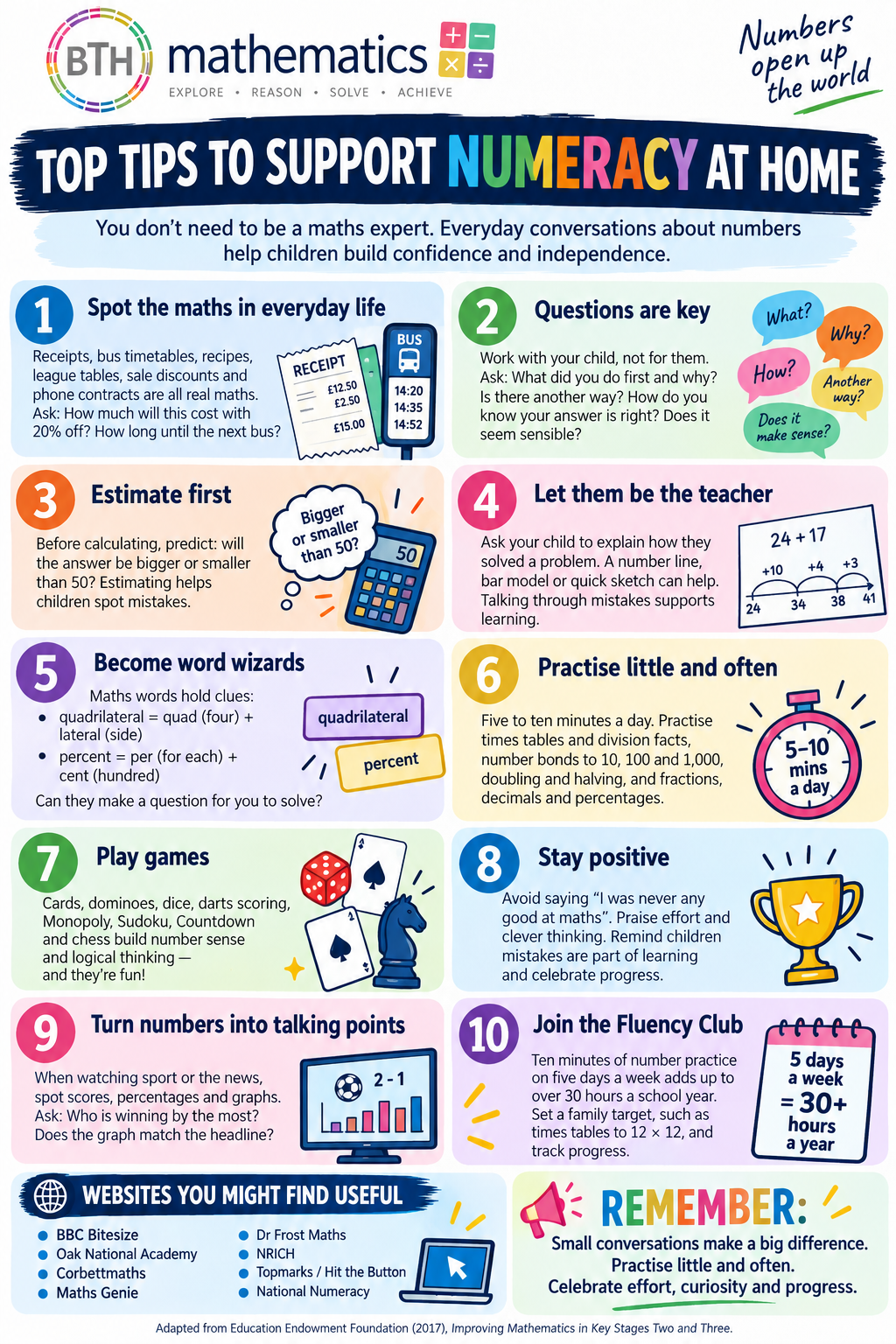
✅ Encourage them to read - Just 20 minutes of reading daily improves vocabulary, comprehension and success across all subjects – reading truly is the key to learning
how to login to your student portal
Student Portal Log In Guide To log into the Student Portal from home
Please follow these steps:
- Open https://www.bromcomvle.com/ in your web browser
- It is very important that you use the link above. Bromcom hosts multiple log-in pages, and Googling ‘Bromcom’ will send you to the wrong log-in page. If you do not have the link above to use, please only Google ‘Bromcom Student Portal’

- Please do not download the ‘Bromcom Student App’ – this does not allow students to log in with their email address and password
- Please ensure no other Google Accounts are logged in on your device
- At the bottom of the page, click on the Login with Google Account button

- You do not need to fill in any of the information boxes on the page (School ID, Username, Password) • You should then be asked to enter your Google Email and Password. This is your College Email Address and Password which is the same password as your computer login. This will then log you in to the Student Portal.

how to login to the pARENTAL APP - MY CHILD at SCHOOL
What is MyChildAtSchool?
MyChildAtSchool is an online portal that enables parents to view their child’s performance at school in real time via any modern web browser (e.g. Edge, Firefox, Chrome, Safari etc.) and for today’s busy parents, an app (for android or ios) which offers the same features.
Anytime access to Attendance, Behaviour, Assessment, Homework, Timetables and student reports, letters or important documents. This new app means that we can keep parents fully informed electronically.
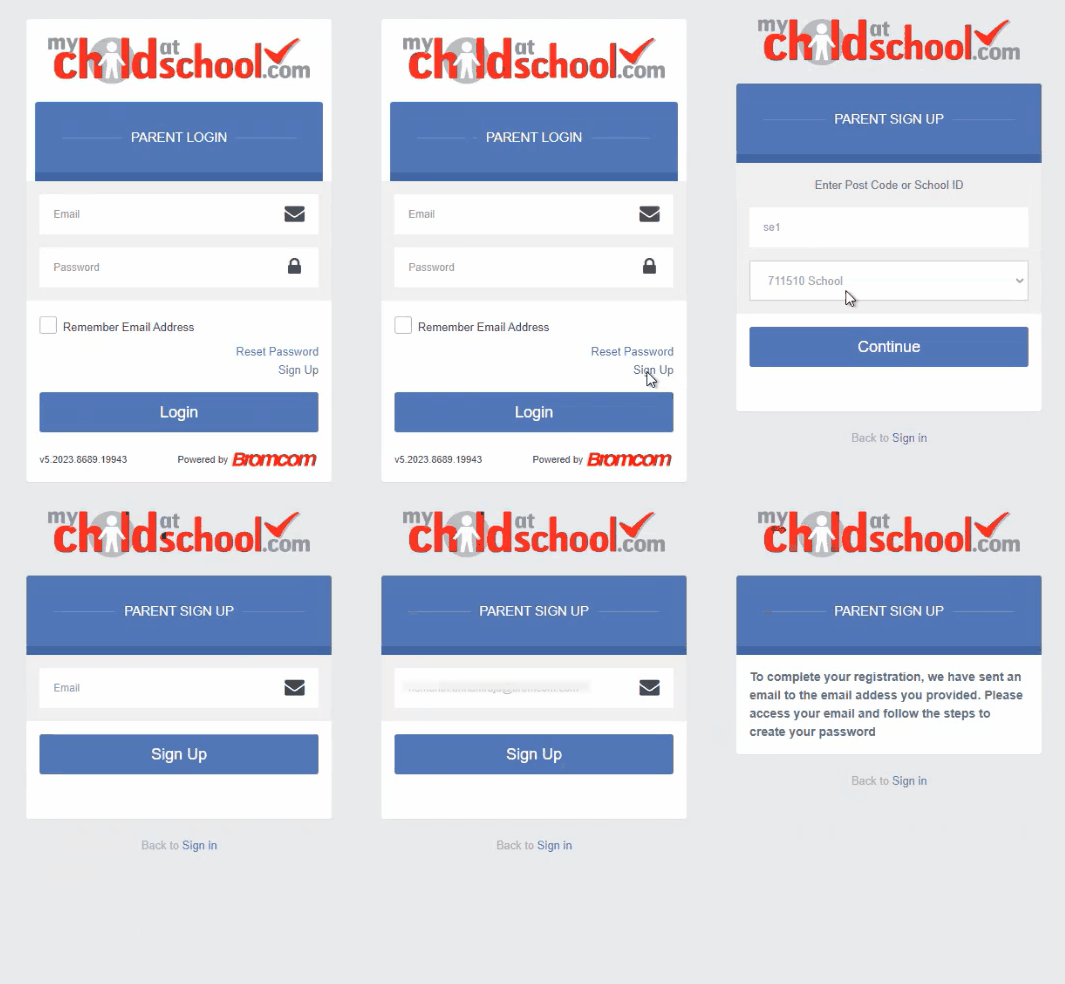
As a parent you will click Sign up, enter the school code 14922 and the email which you've submitted as your point of contact. You will then receive an OTP code to register and then you will be able to access the app.


